
NCUE Office of Student AffairsCampus information platform
Turn scholarship notices into a service students can find, understand and act on in time.
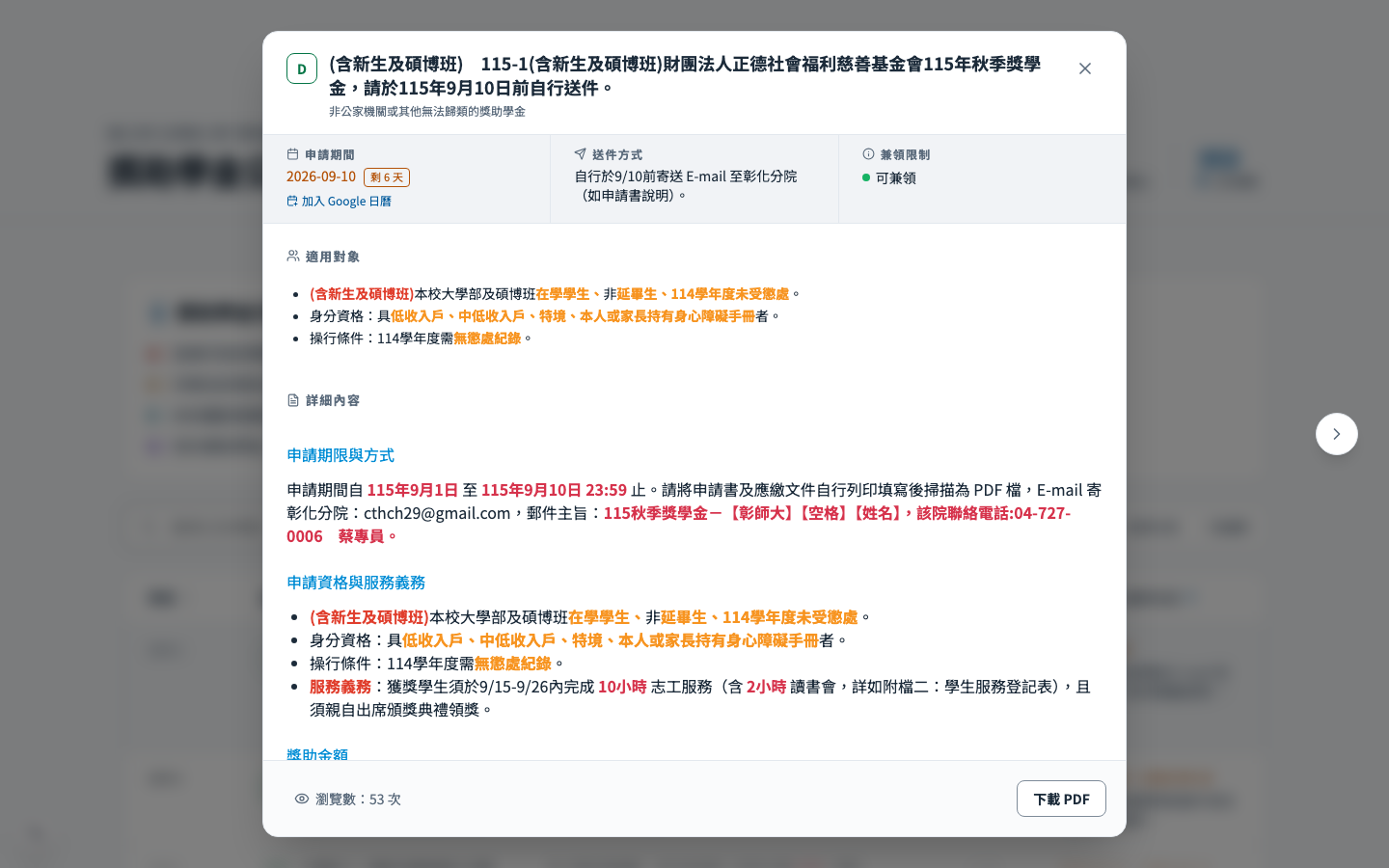
Every on- and off-campus scholarship notice in one place. Publish a notice and the AI assistant answers from it. Web, Android app and LINE share one account and one dataset, and the assistant asks before it sets a reminder or remembers anything.
98%less processing time for the student assistance office
Goal
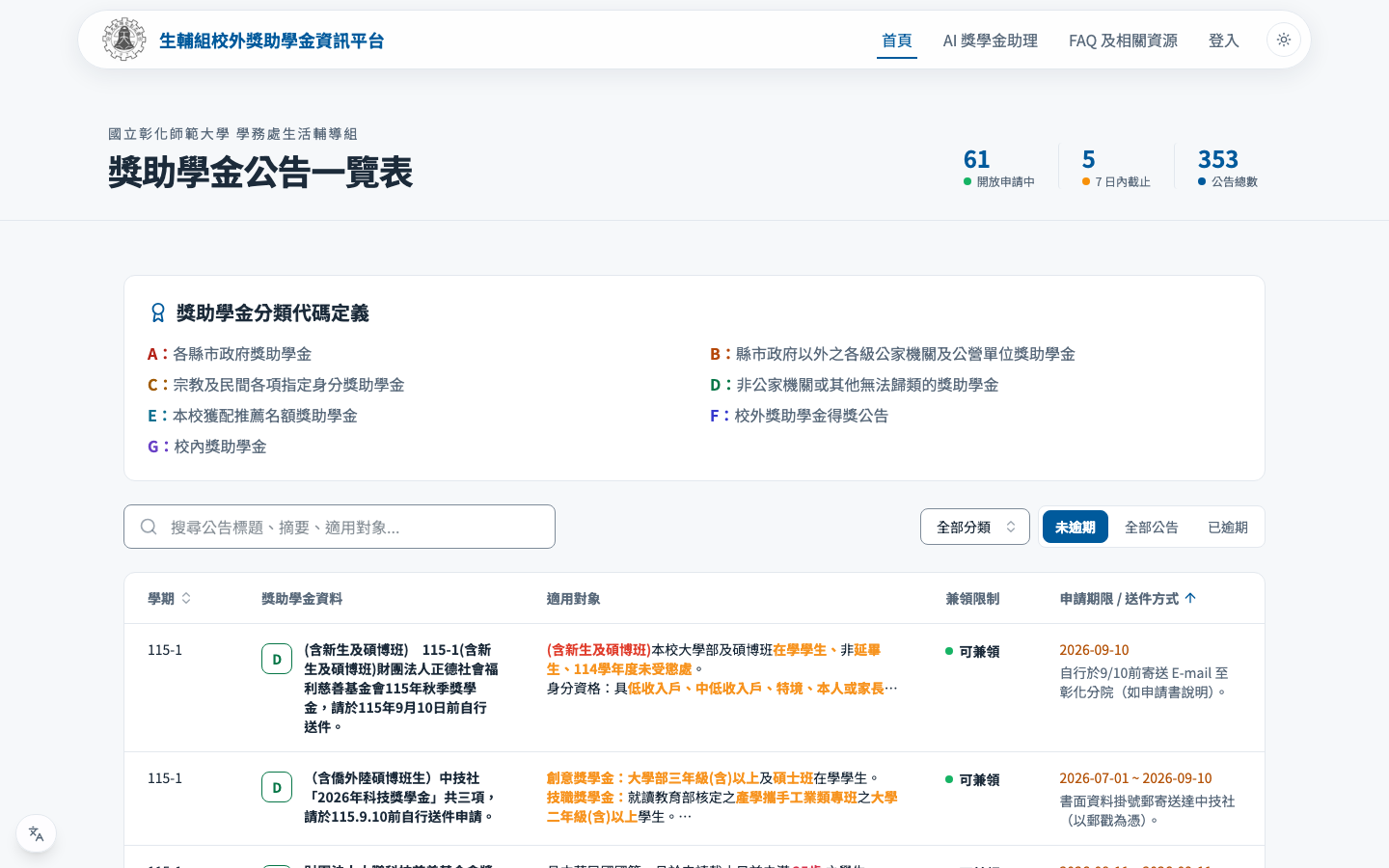
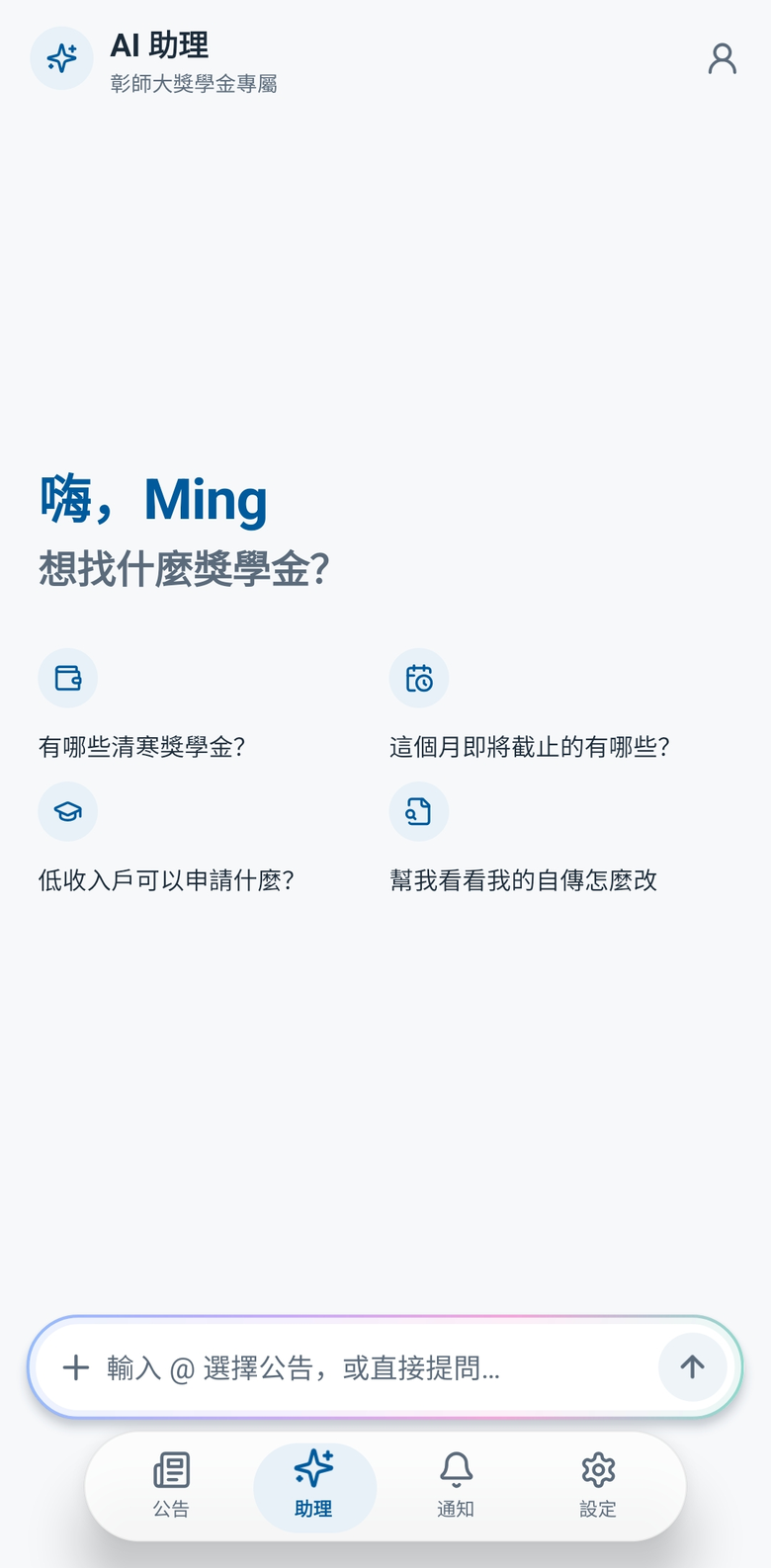
For students: no more digging through memos and notices. One page shows what is open, when it closes and whether they qualify. Anything else, they ask the AI.
For the Office of Student Affairs: no more answering the same question twice. Publish the notice and the AI answers from it. Where the AI falls short, the system lists the gaps.
Approach
- The data lifecycle is built for AI: a notice enters the knowledge base the moment it is created or updated and leaves when unpublished; the AI always searches first, goes online only as a last resort and cites its sources.
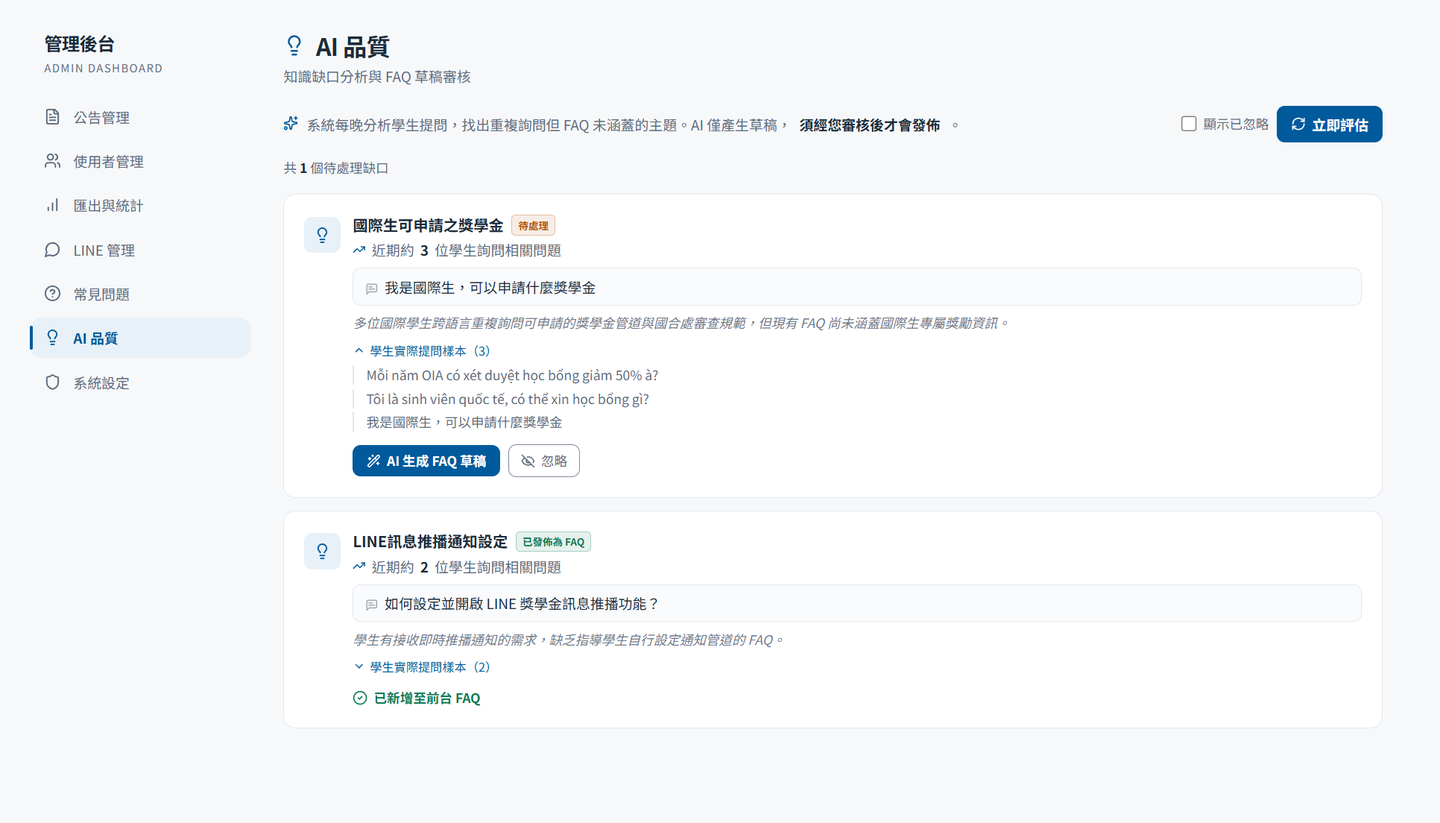
- Weak answers flow back: replies students thumb down feed a knowledge-gap analysis, the AI drafts FAQ entries and the office approves them before publishing.
- Three interfaces, one account: web, Android app and LINE sign in to the same account, and reminders and AI conversations carry across all of them.
- Every AI step is visible: the tools used, the reasoning and the sources are all shown; a reminder or a memory entry happens only after the student confirms.
Result
- Live for the whole university; outside users sign up with their own Gemini key, billed to their own account.
- Students sign in with Google and, once LINE is linked, ask right in the chat.
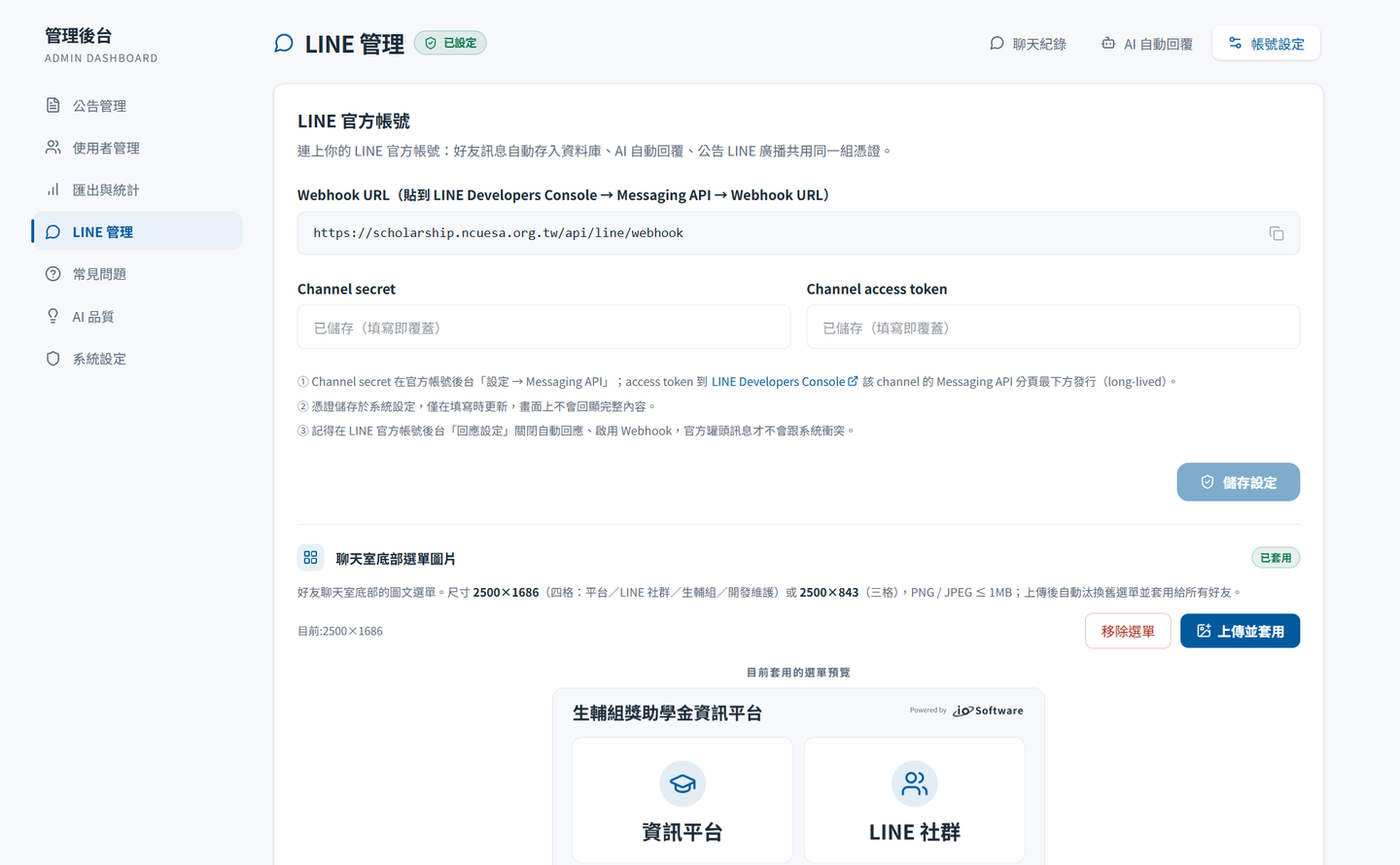
- The office sees every LINE conversation in the back office, along with the topics the AI answered poorly.
- Open source, free for non-commercial use.
How the data flows
A notice is not an attachment handed to an AI. It is one turn of a loop that corrects itself: the office publishes as usual, the AI answers from the latest version, and the questions it gets wrong come back as FAQs.
- 01
Notice created or updated
The office publishes as it always has
- 02
Knowledge base syncs
Removed on unpublish, reconciled daily
- 03
AI searches, then answers
Goes online only as a last resort, with sources
- 04
Students rate the reply
Thumbs-down replies are kept on record
- 05
Knowledge-gap analysis
Repeated questions the FAQ misses
- 06
FAQ reviewed, published
AI drafts, staff decide
Published FAQs return to the knowledge base. From then on, the AI cites them first for policy questions.
FAQs flow back06 → 02
Published FAQs return to the knowledge base. From then on, the AI cites them first for policy questions.
Design highlights
01
The knowledge base follows the notice
The office publishes notices the way it always has, and the AI answers from the latest version.
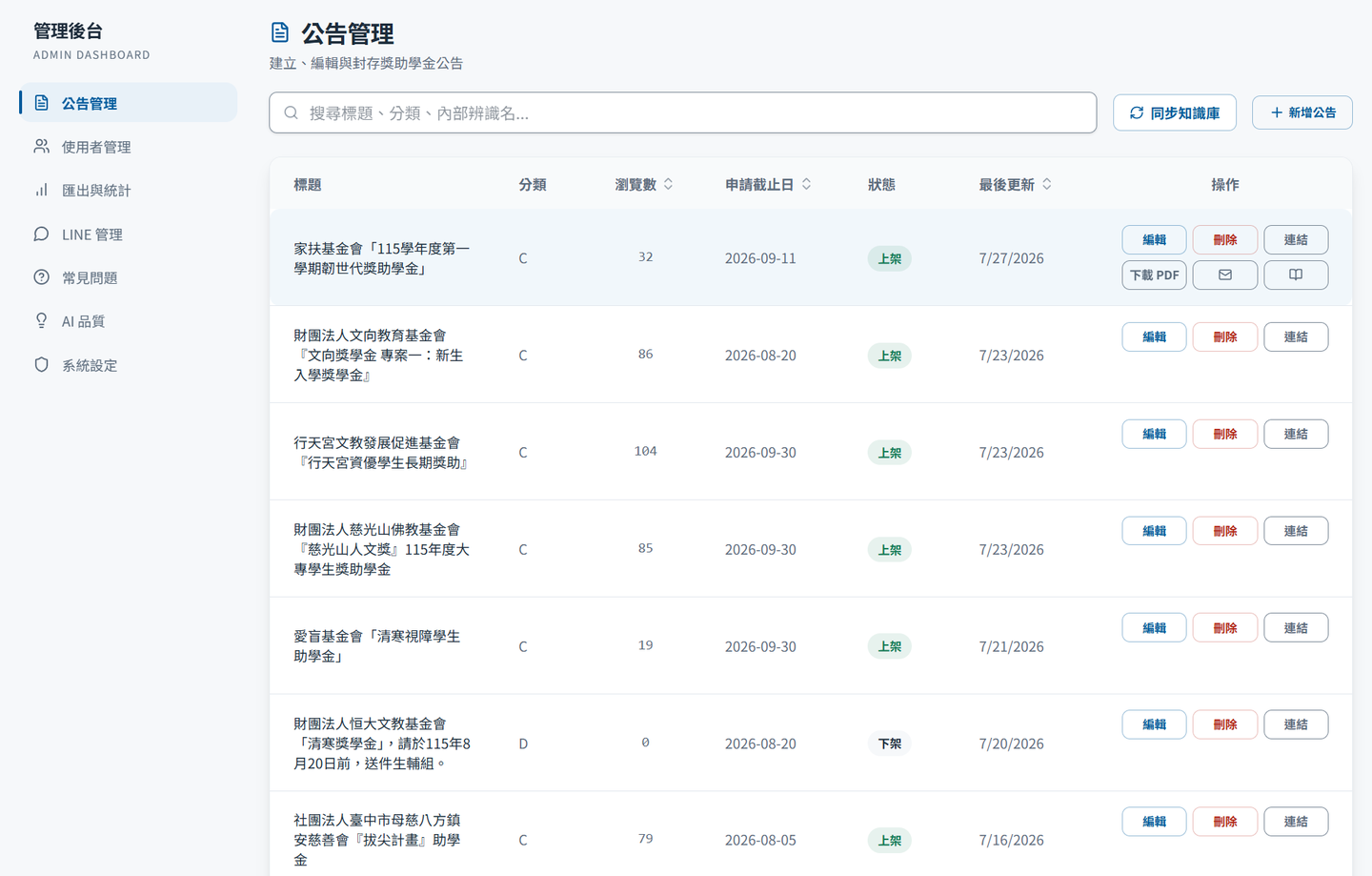
- The moment a notice is created or updated it is rewritten into AI-readable form and stored; unpublishing or deleting removes it, and a daily job reconciles the rest.
- The AI always searches the knowledge base first, and goes online, citing the source, only when nothing is found.
- Replies students thumb down feed a knowledge-gap analysis; the AI drafts FAQ entries, the office approves and publishes them, and those FAQs become the first reference for policy questions.
- When creating a notice, upload the regulation file or paste a URL: the AI pre-fills the fields and flags likely duplicates.
02
Web, app and LINE share one account
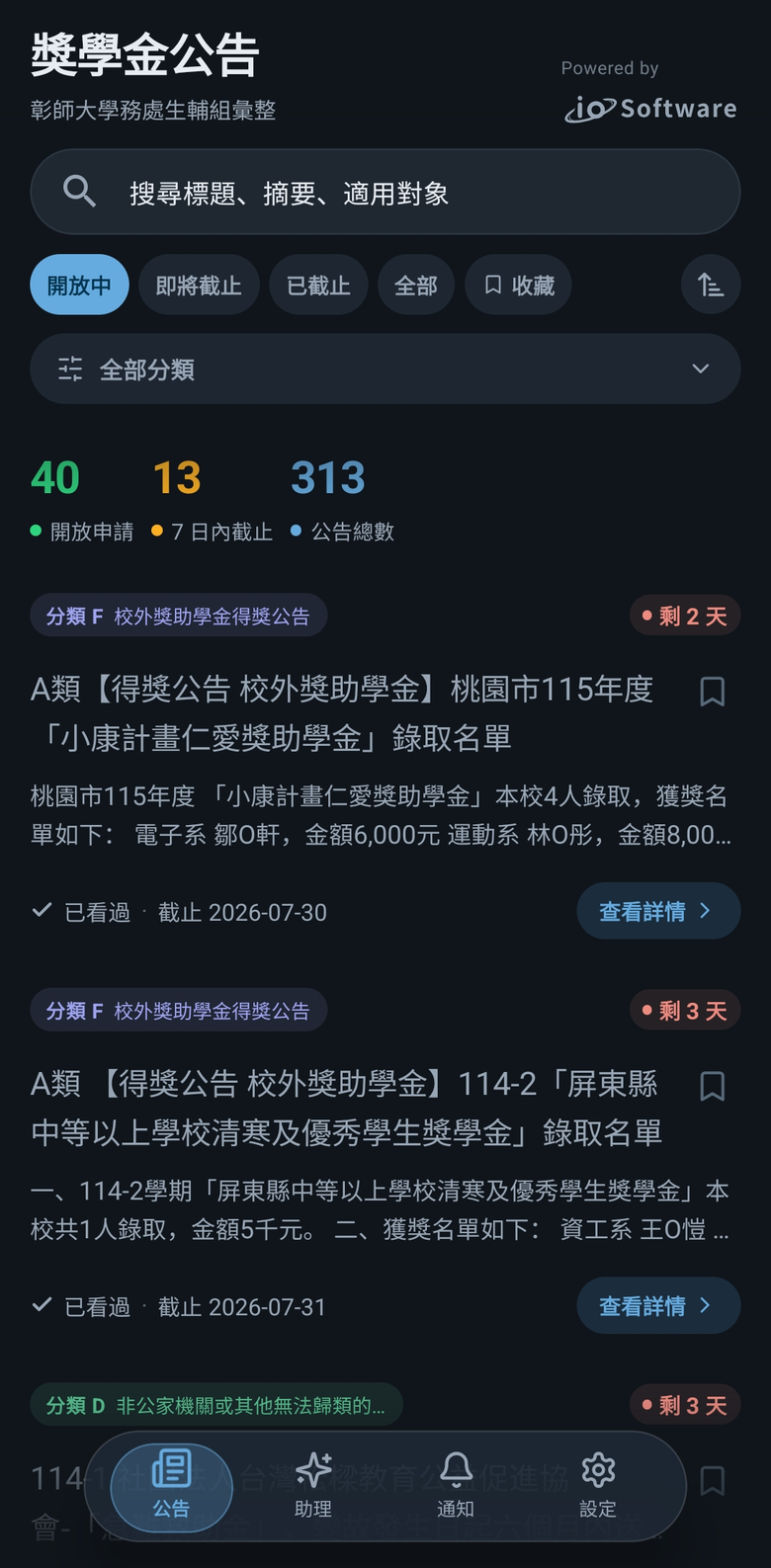
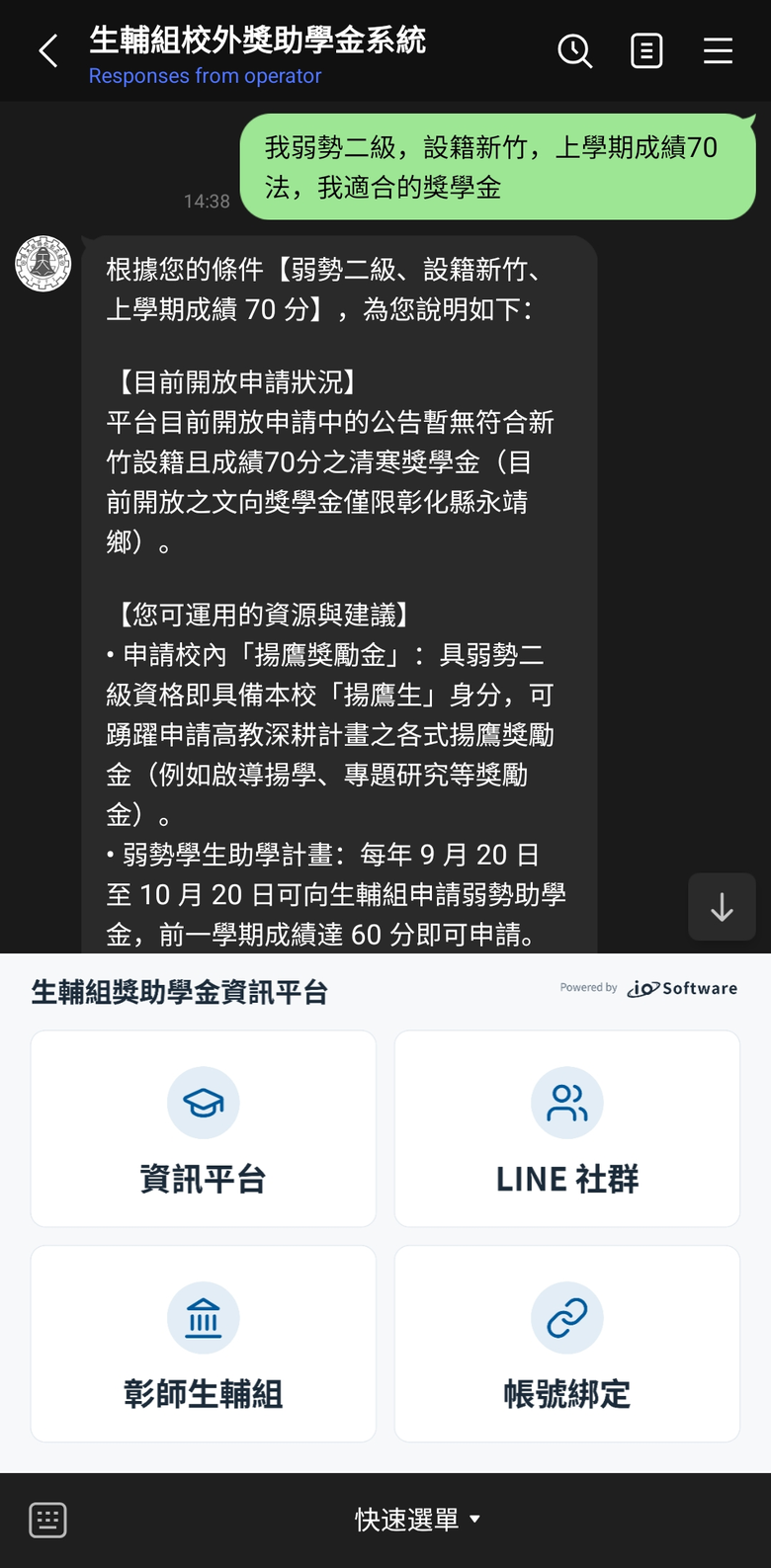
Students use whatever is at hand: full notices on the web, push alerts in the app, a quick question on LINE.
- All three sign in to the same account and see the same data.
- A reminder set on the web arrives in the app and on LINE.
- A conversation with the AI carries on between web and LINE without repeating the background.
- LINE links with a six-digit code; the app adds push, offline cache, deep links and a long-press shortcut.
- The office manages LINE from the back office: chat history, AI auto-reply, response hours and the rich menu.
03
Responsible AI, by design
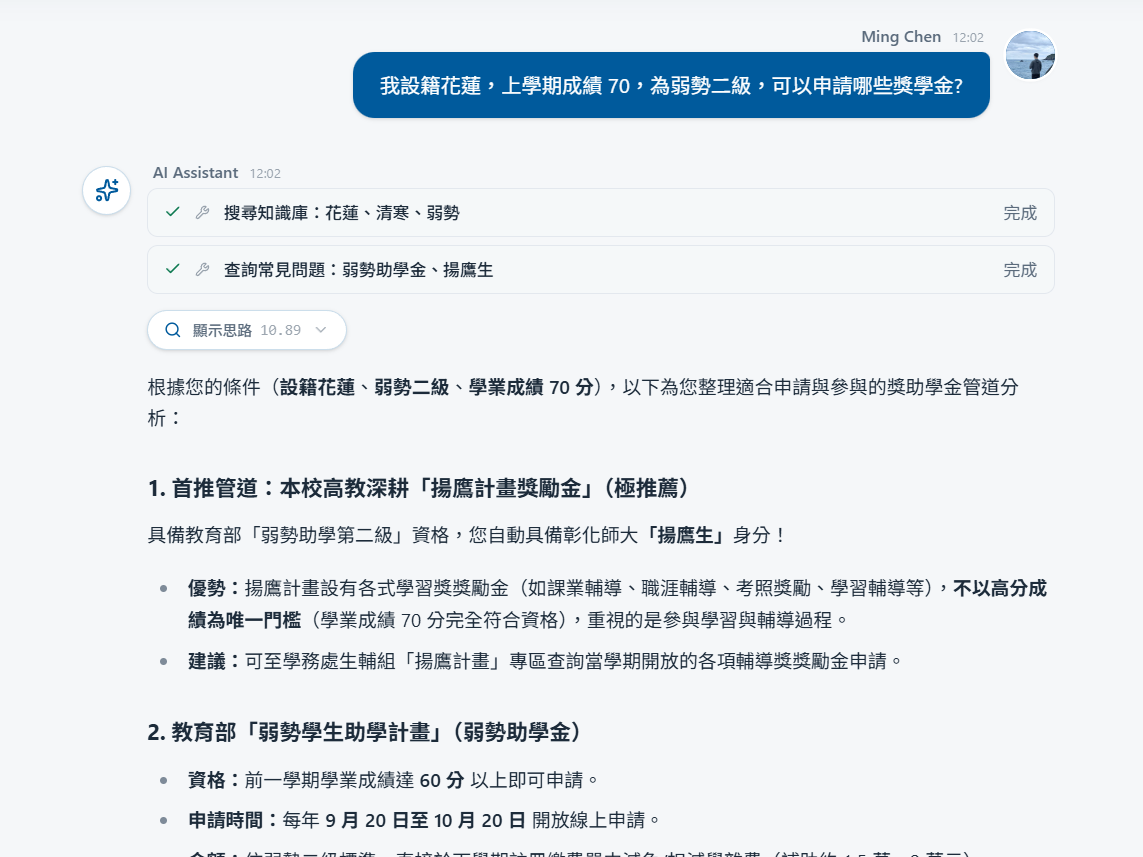
Every answer is cited and every action is confirmed. Students see where the AI gets its answers, and decide what it may do on their behalf.
- Search the knowledge base, check the FAQ, confirm the date, read a page: every step is listed, and the reasoning can be expanded.
- Each reply carries notice cards, sources, a disclaimer and thumbs up or down.
- A reminder or a memory entry the AI proposes happens only after the student confirms; the memory can be viewed, edited or cleared.
- Essays and application forms are checked by the AI for that conversation only and never stored.
- Outside users bring their own Gemini key, encrypted with AES-256-GCM or kept only on their device; requests are capped at ten per minute, and staff can switch the AI off with one click.
Want your project built this way?
Talk to us first. No spec document needed.